Early betaOur launch gift: create a free account and get Dolly Pro free until 30 November.Launch gift: Pro free until 30 NovCreate account

Your team's videos. And your AI can use them.

Dolly Workspace is one library for the videos your team shares with Dolly links. Everyone finds them, watches them and comments, in Dolly or in the browser. Give your AI a key, and Claude Code, ChatGPT or Cursor can find a video and put it where it belongs.

Dolly CloudIn Pro and Team. People you invite watch and comment free.

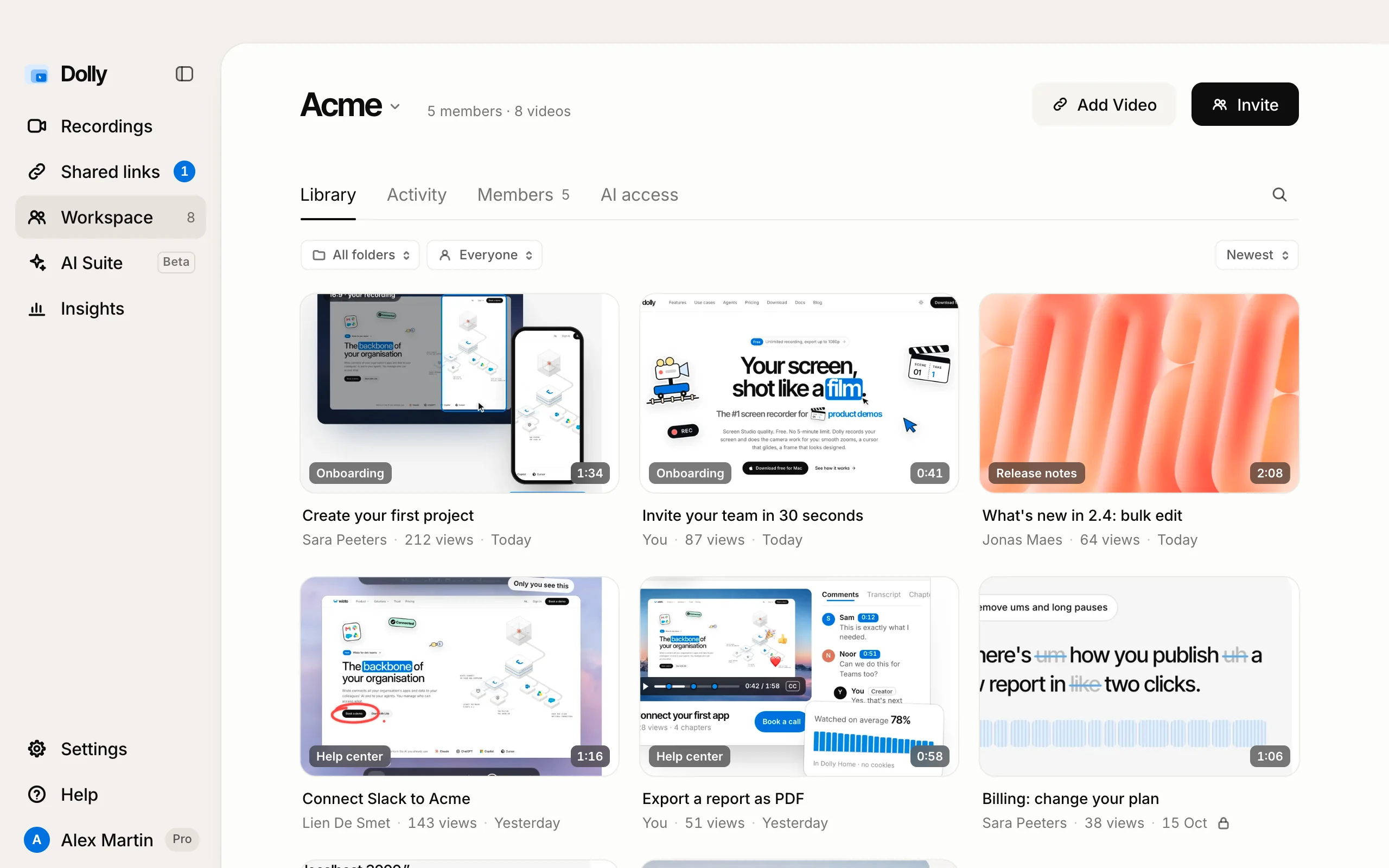
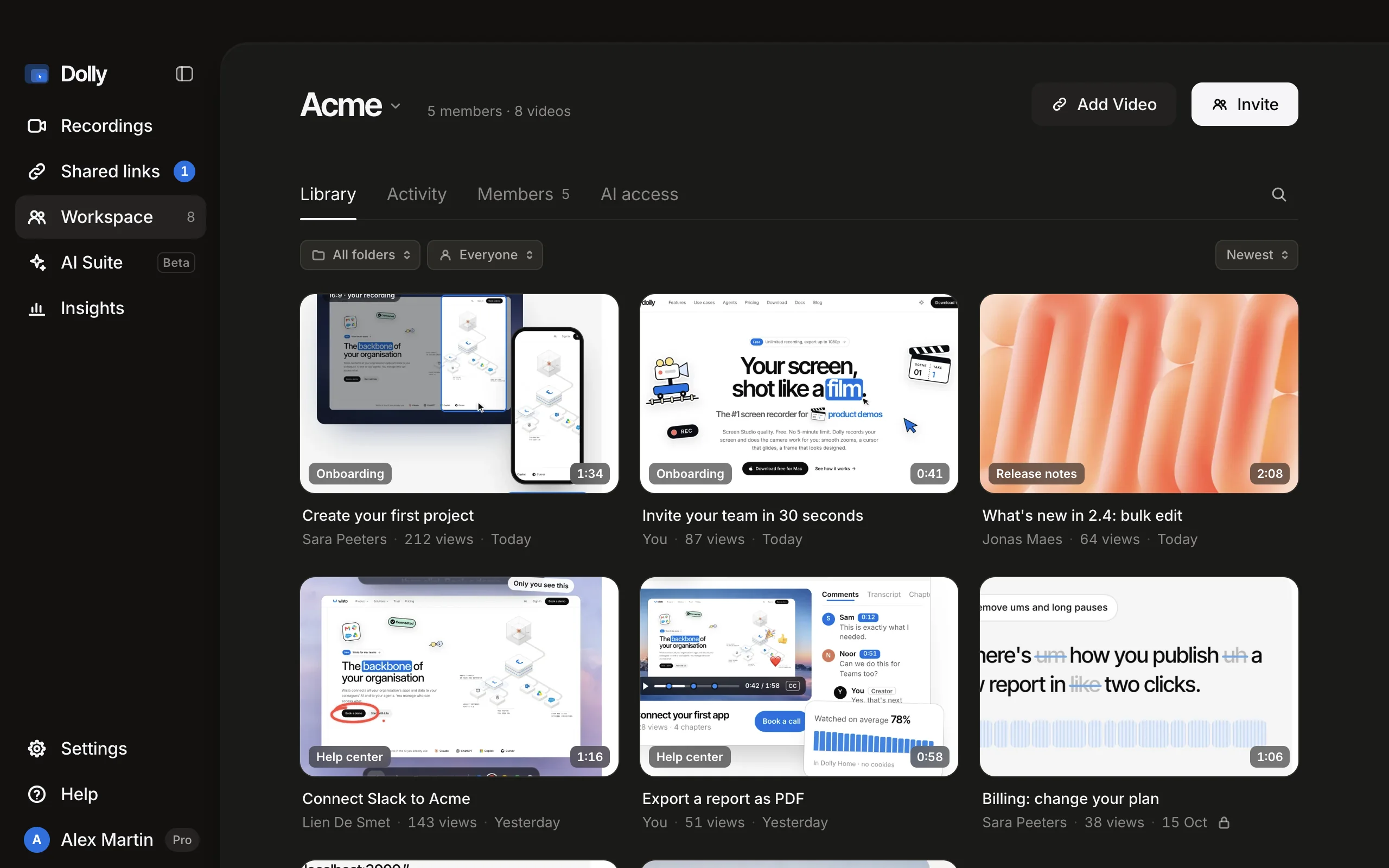
Workspace in Dolly: the Acme library with folders, who added each video, views and when
Workspace in Dolly, with an example team. Teammates without a Mac use it on getdolly.app/workspace.

Set up in a minute. Then it runs by itself.

Record, Get link, and the video is where your team looks. Nobody pastes files into chat or asks for “the latest version”.

  1. Make a workspaceIn Dolly, click Workspace in the sidebar, or open getdolly.app/workspace. Give it your team's name; you're its owner.
  2. Invite your teamInvite copies a link that works for 14 days, as admin, member or viewer. Or let anyone with your company email join by themselves.
  3. Share into itGet link as always, then Add to Acme in the link's menu. Or switch on Also add to Acme once, and every new link lands in the library.
  4. Watch and talk about itTeammates watch in Dolly or in any browser and comment at a moment. Dolly tells you on your Mac when someone adds a video or comments.
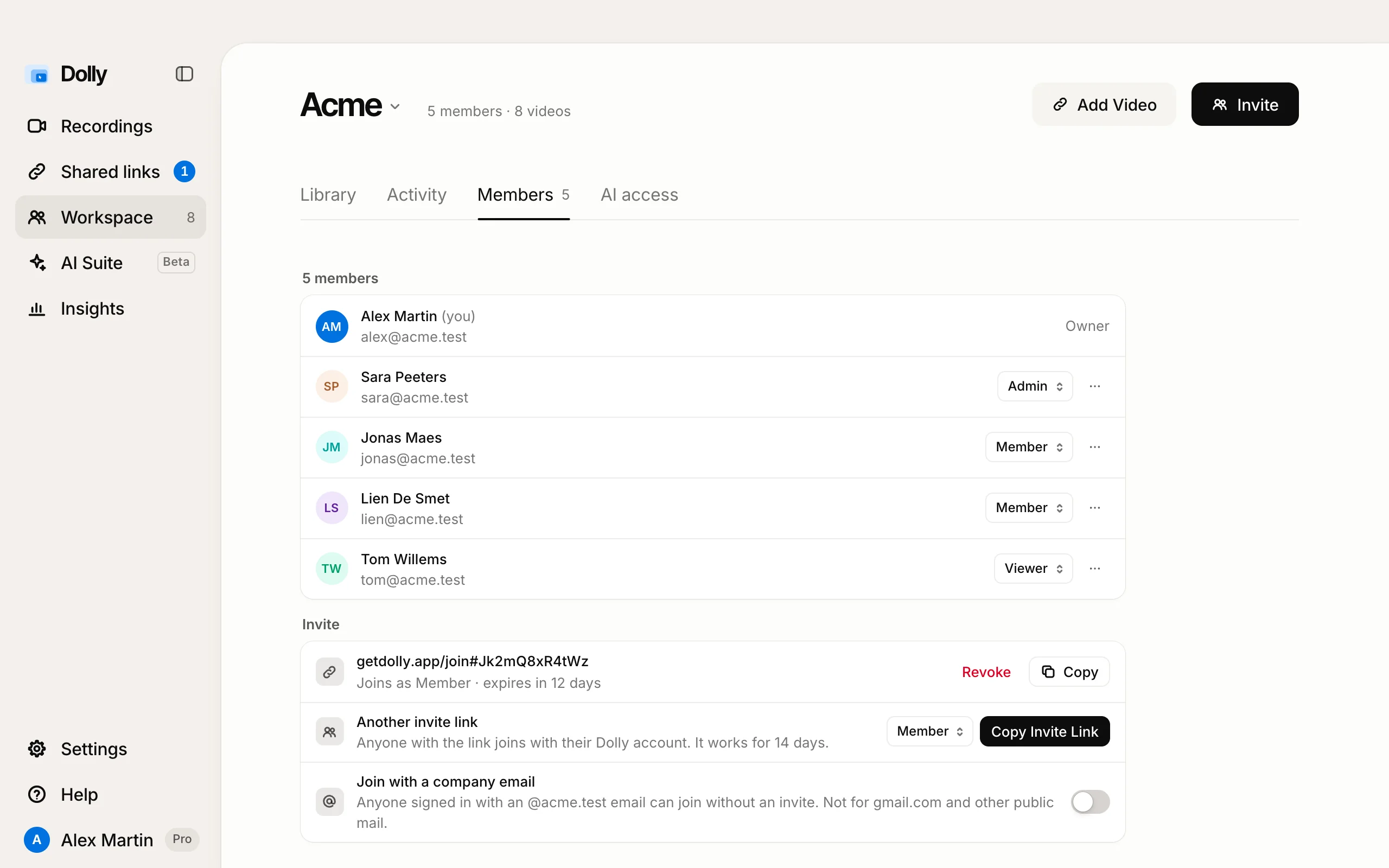
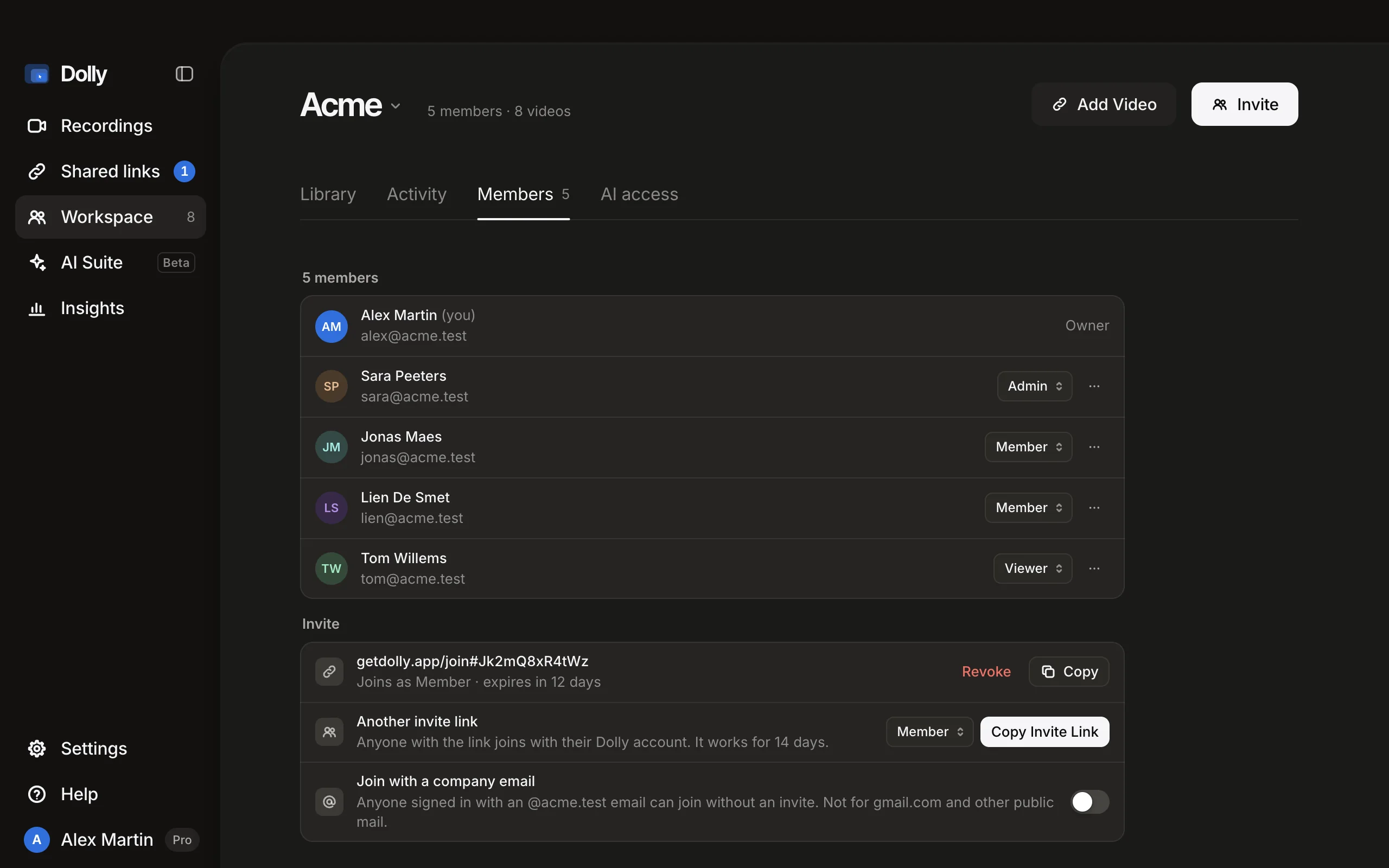
Members in Dolly: five people with their roles, an invite link that expires in 12 days, and join with a company email
Members: roles, invite links and joining with a company email.

Who can watch? One choice per video.

Adding a video to the workspace doesn't change who can open its link. You decide that per video.

Anyone with the linkThe default, like every Dolly link. Viewers need no account; you see views and comments.
Only people in your workspaceSwitch it per video. The link's page then asks viewers to sign in, and only members can play it.
With a password, or until a dateSettings of the link itself, for a client or a launch. They work in a workspace too.

From a recording to the website. No file in Slack.

One teammate makes the video. Another asks about it. Claude Code puts it on the site. Nobody hunts for the right version.

Sara, marketing

The video lands in the team's library.

Sara records “Create your first project” in Dolly and presses Get link. She adds it to Acme's Onboarding folder, and the whole team sees it, with its views and comments.
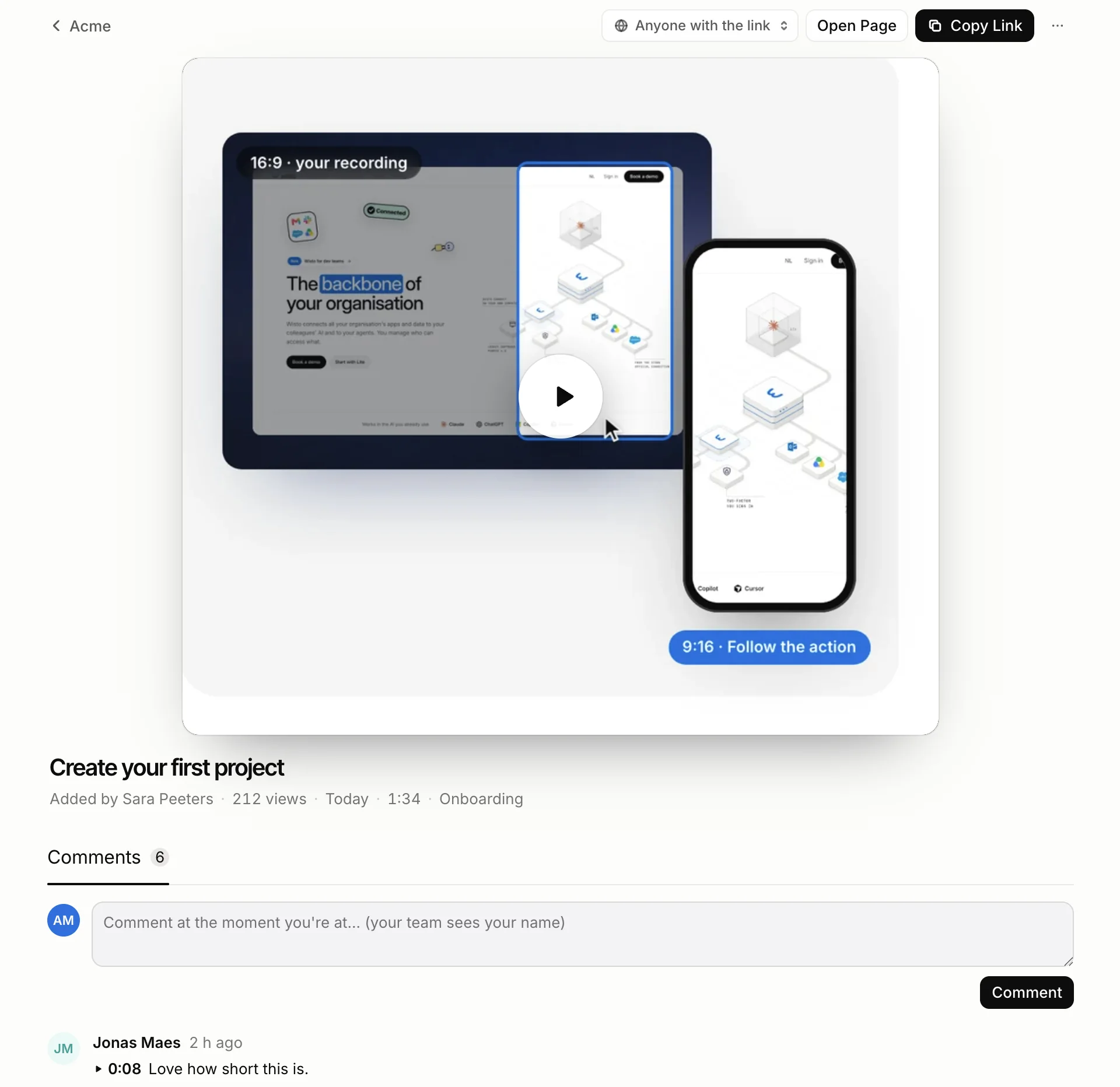
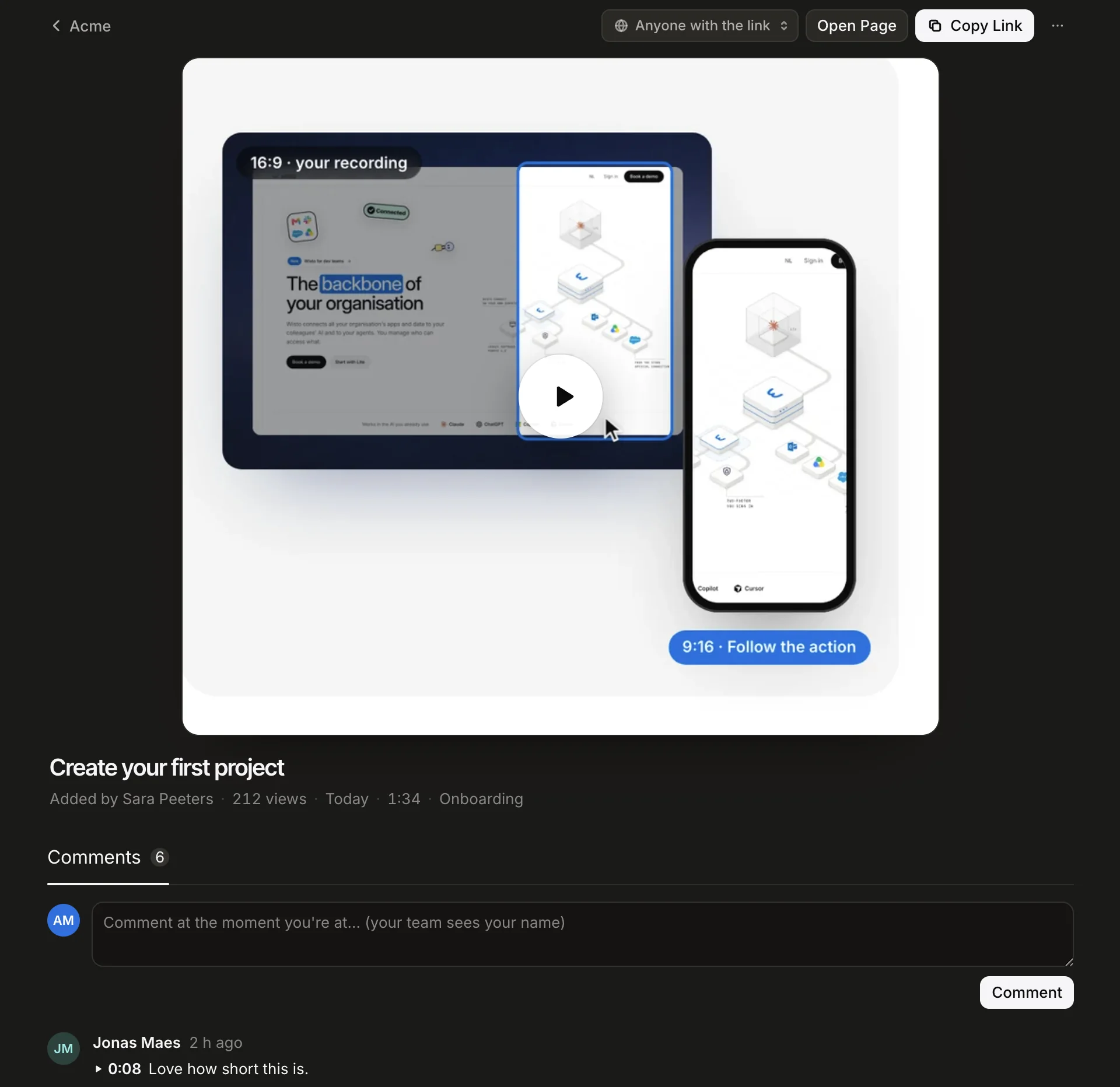
A video opened in Dolly's Workspace: the player, added by Sara Peeters to Onboarding, and the team's comments at their moments

Jonas, product

A question at the right moment.

Jonas asks for the template picker step, right under the video. Everyone sees it in Activity, next to who added what and when an AI used the workspace.
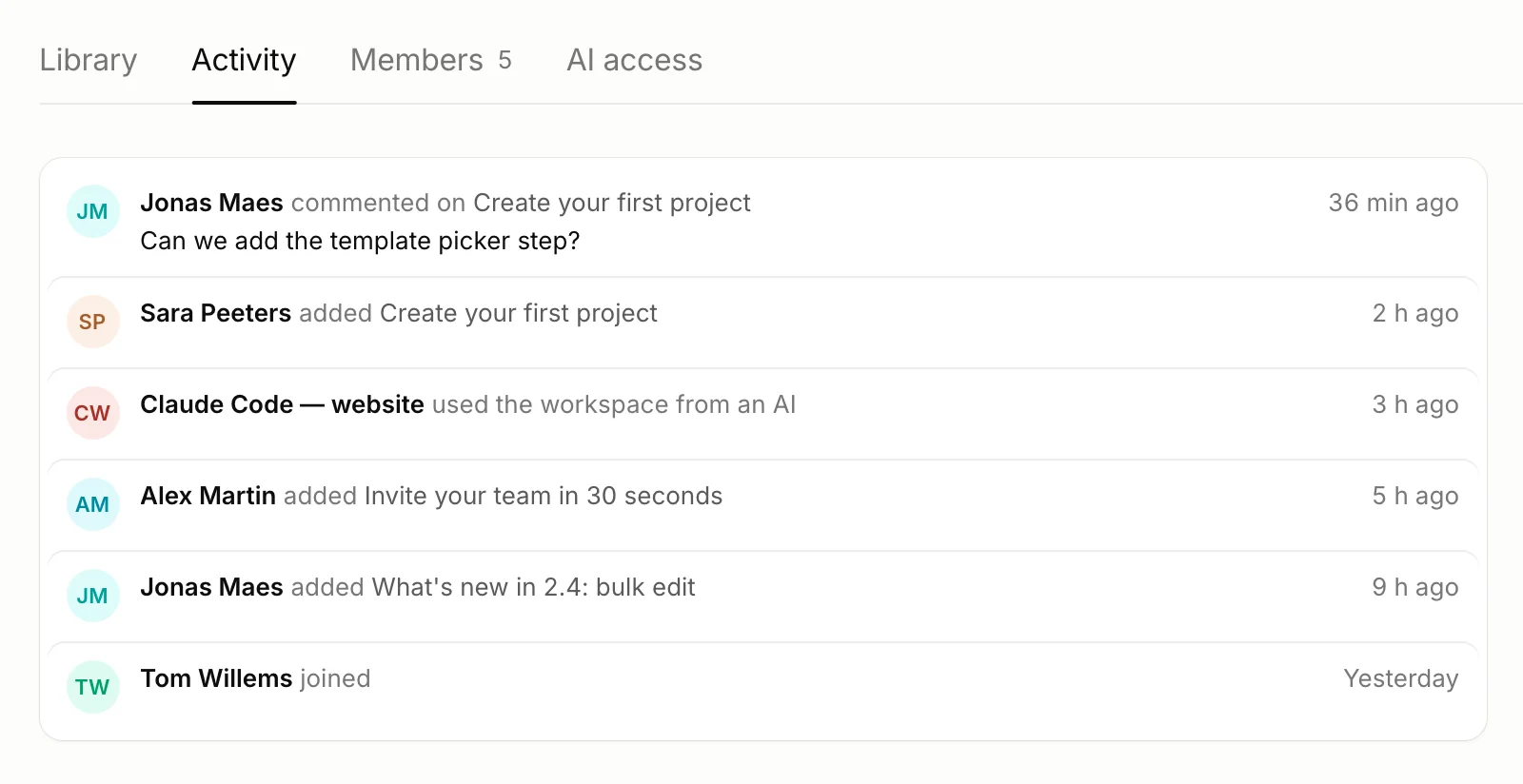
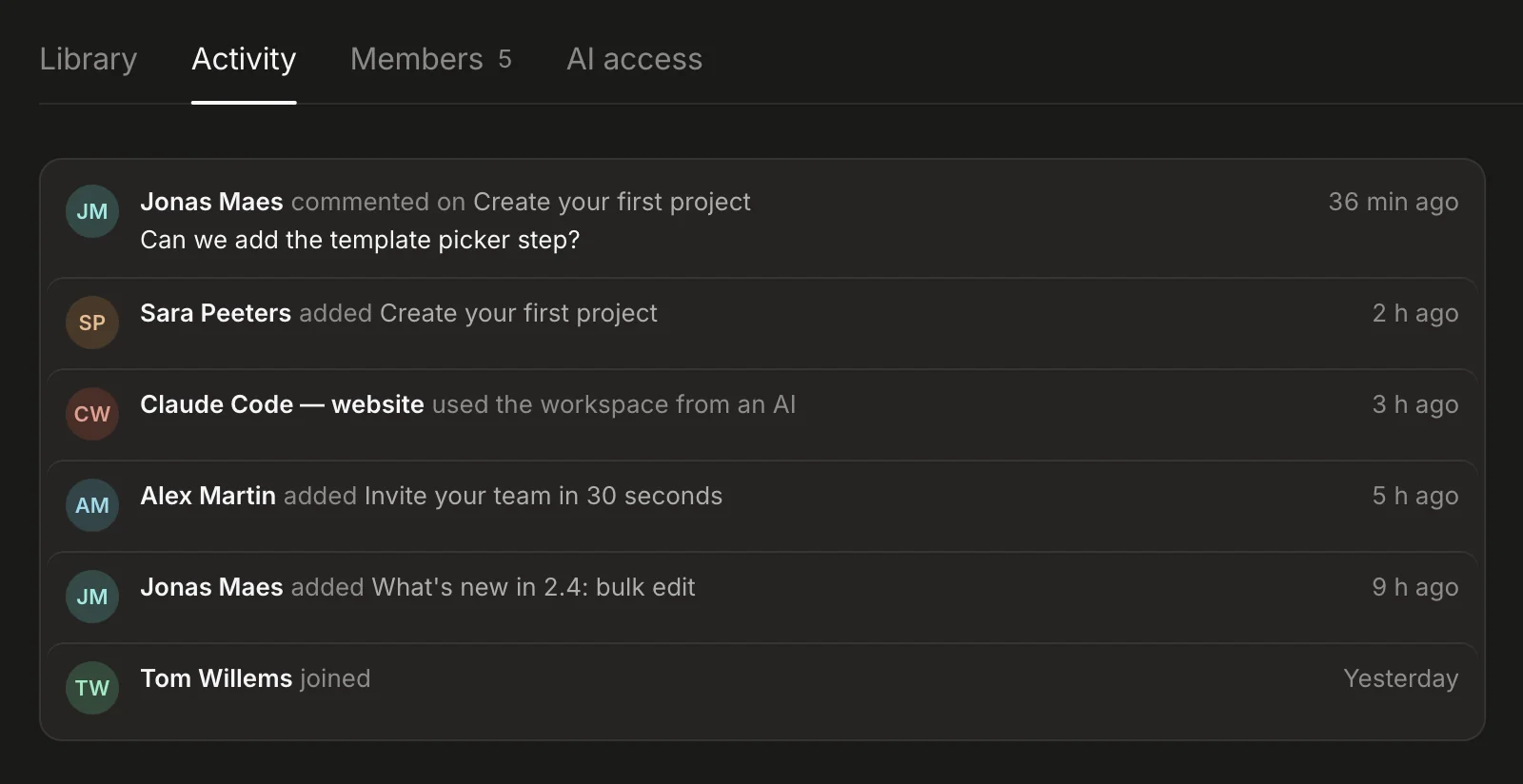
Activity in Dolly: a comment from Jonas Maes, a video added by Sara Peeters, and Claude Code using the workspace

Acme's Claude Code

“Put the newest video from Onboarding on our Get started page.”

The website's Claude Code has a workspace AI key. It finds Sara's video, downloads the MP4 into the repo and writes the video tag. Activity shows that it did.
One key. Any AI.

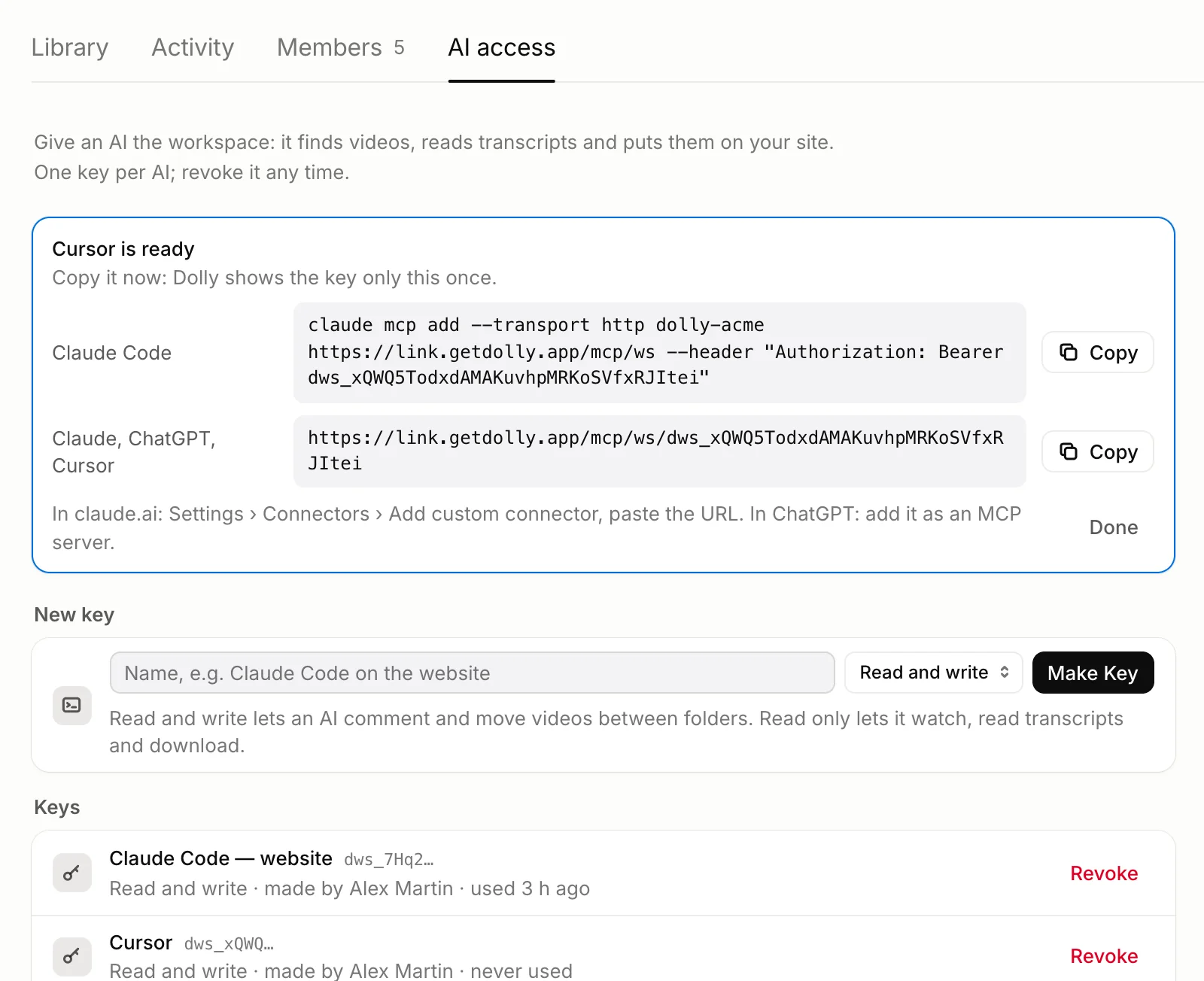
An admin or member makes an AI key under AI access. It's shown once, with exactly what to paste. No Mac, no Dolly app and no API costs: the AI you already use does the work.

Claude CodeOne command in Terminal, then ask in your project.
claude.ai, ChatGPTAdd a custom connector with the URL.
CursorAdd an MCP server with the same URL.
list_videosFind videos by words, folder, person or date.
get_videoTitle, length, embed code, a download link and the transcript.
get_transcriptWhat was said, with timestamps.
download_videoThe MP4, ready to drop into a repo.
list_folders · list_membersHow the workspace is organised, and who's in it.
recent_activityWhat's new since yesterday.
add_commentA comment on a video, marked as AI. Read and write keys.
move_videoFile a video in a folder. Read and write keys.
AI access in Dolly: a new key for Cursor, shown once, with the Claude Code command and the URL for claude.ai, ChatGPT or Cursor

Coming from Loom? Same habits, Dolly names.

Everything your team does in a Loom workspace has a place in Dolly.

In LoomIn DollyWhat it does
My LibraryShared linksEvery link you made, in Dolly on your Mac, with insights per video.
Workspace libraryWorkspace › LibraryEveryone's videos, with who added them, views and comments.
Spaces and foldersFoldersOne level: Onboarding, Release notes, Help center.
Share: anyone, or workspace onlyWho can watchPer video, anyone with the link or only members.
Comments at a timestampComments at a momentIn Dolly and on the watch page; a click plays from that moment.
NotificationsMac notificationsA teammate's new video, comments, who joined. Never an email from Dolly.
Invite by emailInvite linksCopy, paste where your team talks. Or join by company email domain.
SearchSearch by what was saidTitles, descriptions and transcripts.
Your own AI toolsAI accessOne key lets Claude Code, ChatGPT or Cursor find and use the team's videos.

Everything a team library needs. Nothing it doesn't.

FoldersOnboarding, Release notes, Help center: one level, with an emoji if you like.
Search by what was saidTitles, descriptions and transcripts, so the video that mentions “pricing” turns up.
Filter by person, sort by viewsEverything Sara added, or what the team watched most.
Who can watchPer video: anyone with the link, as today, or only the people in your workspace.
Comments at a momentMembers comment with their name, tied to a moment in the video.
Activity and notificationsNew videos, comments, people and AI use, newest first; on your Mac as a notification too.
Invite links with rolesAdmin, member or viewer. Each link works for 14 days and can be revoked.
Join by email domainSwitch it on and anyone with an @acme.com account joins by themselves.

Part of Dolly Cloud.

Make a workspace and AI keys with Pro, which includes Dolly Cloud. The people you invite watch and comment for free. Dolly Team, €11.99 per user a month from 3 users, is Dolly Cloud for teams: unlimited people and workspaces. Team is coming soon.

Questions

More in the Workspace guide.

How do I put a new video in the workspace?

Make its link with Get link (⇧⌘L), then choose Add to your workspace in the link's menu, or in Shared links. Switch on Also add to your workspace under Link options and every new link goes there by itself, into the folder you used last.

Will I know when a teammate posts or comments?

Yes, while Dolly runs: a Mac notification when someone adds a video, comments or joins, and a count on Workspace in the sidebar until you look. Switch it off in Settings › Account. Dolly never emails you about it.

Is this the same as Connect your AI?

No. Connect your AI lets Claude, ChatGPT or Cursor use Dolly on your Mac: record, edit, export. A workspace AI key lets an AI read your team's library from anywhere, with no Mac and no Dolly app: find a video, read its transcript, get its embed code or download it.

Do people need Dolly to watch?

No. Members open getdolly.app/workspace in any browser and sign in with a code by email, on any plan. To add videos you need Dolly links, which you make in Dolly on a Mac with Get link.

Who can see a video?

You choose per video. Anyone with the link, like any Dolly link, or only the people in your workspace: then the link's page asks viewers to open it in the workspace.

What can an AI do with a key?

A read key finds videos, reads transcripts and gets embed code and download links. A read and write key can also comment and move videos between folders. It can't delete videos, invite people or see other workspaces.

How do I take a key back?

Under AI access, click Revoke. Every AI using that key loses access at once. Each key shows when it was last used.

What does it cost?

Workspaces and AI keys are part of Dolly Cloud, included in Pro. People you invite can watch and comment on any plan, Free included. Dolly Team (€11.99 per user a month, from 3 users, coming soon) is Dolly Cloud for teams: unlimited people and workspaces.

Does a removed video disappear?

No. Removing a video from the workspace keeps its Dolly link working; only its maker can delete the link.

© 2026 DollyRecorded and edited on your own computer.